Rental property management software
Short and long-term rentals, in one dashboard
CheckinRio organizes the day-to-day of people who manage their own rentals: saving time, simplifying management and keeping costs and revenue in clear view so you can maximize profit.
- Less than R$ 1 a day, per property
- No commission: no percentage taken from your bookings
- Automation from check-in to finances
- Simple to use, with 14 free days to prove it
Illustration of the system, with fictional data: a booking arrives from the calendar, the guest fills in the check-in and the month closes in the finances.
Bookings
Copacabana apt. · September
- Marina DuarteSeptember 12 to 16 · 4 guestsAirbnb
- João RibeiroSeptember 5 to 9 · 2 guestsDirect
It arrived on its own, from the connected calendar.
Guest check-in
Marina Duarte
- Details and contact
- Document attached
- Companions
Finances
Copacabana apt. · September
- Revenue
- R$ 6,840
- Expenses
- R$ 1,640
- Net this month
- R$ 5,200
- properties registered
850+
properties registered
- of free trial, no card
14 days
of free trial, no card
- per property, per month
R$ 25,00
per property, per month
Airbnb, Booking, a spreadsheet and WhatsApp
Each one holds a piece of the operation: the calendar in one app, guest details in another, the month's numbers in a spreadsheet. You check everything twice and bookings still slip through.
Airbnb
one calendar
Booking
another calendar
Spreadsheet
the month's numbers
WhatsApp
guest details
One place
Bookings, check-in and finances in the same dashboard.
One system for both ways of renting
Switch between modes with one click. Data from one never mixes with the other.
Airbnb, Booking and direct bookings
- Bookings and platform calendars in one place
- Online guest check-in, with documents
- Automatic emails and alerts
- Finances and occupancy per apartment
Traditional lease agreements
- Leases with rent adjustment by Brazil's Central Bank indexes
- Monthly billing: rent + building fees + property tax in one PDF
- Receipts and reports per tenant
- Each property's status: rented, vacant or under renovation
How it works
Built for people who manage their own Airbnbs without doing it full-time. The repetitive work starts happening without you: spreadsheets, copy-paste, guest files.
Step 1
Add your properties
Short-term apartments or leased properties. New accounts come with a ready-made check-in form.
Step 2
Connect your calendars
Paste the iCal link from Airbnb or Booking, once per apartment.
Step 3
Leave the routine to the system
New bookings land in the dashboard on their own, guests get the check-in form by email and every check-out records its expense and updates the amenities inventory.
The path of every booking
Booking
Lands in the dashboard from Airbnb, Booking or a direct entry.
Check-in
The guest fills in their details and attaches documents from their phone.
Finances
Revenue and expenses land on the right property, ready for the month's closing.
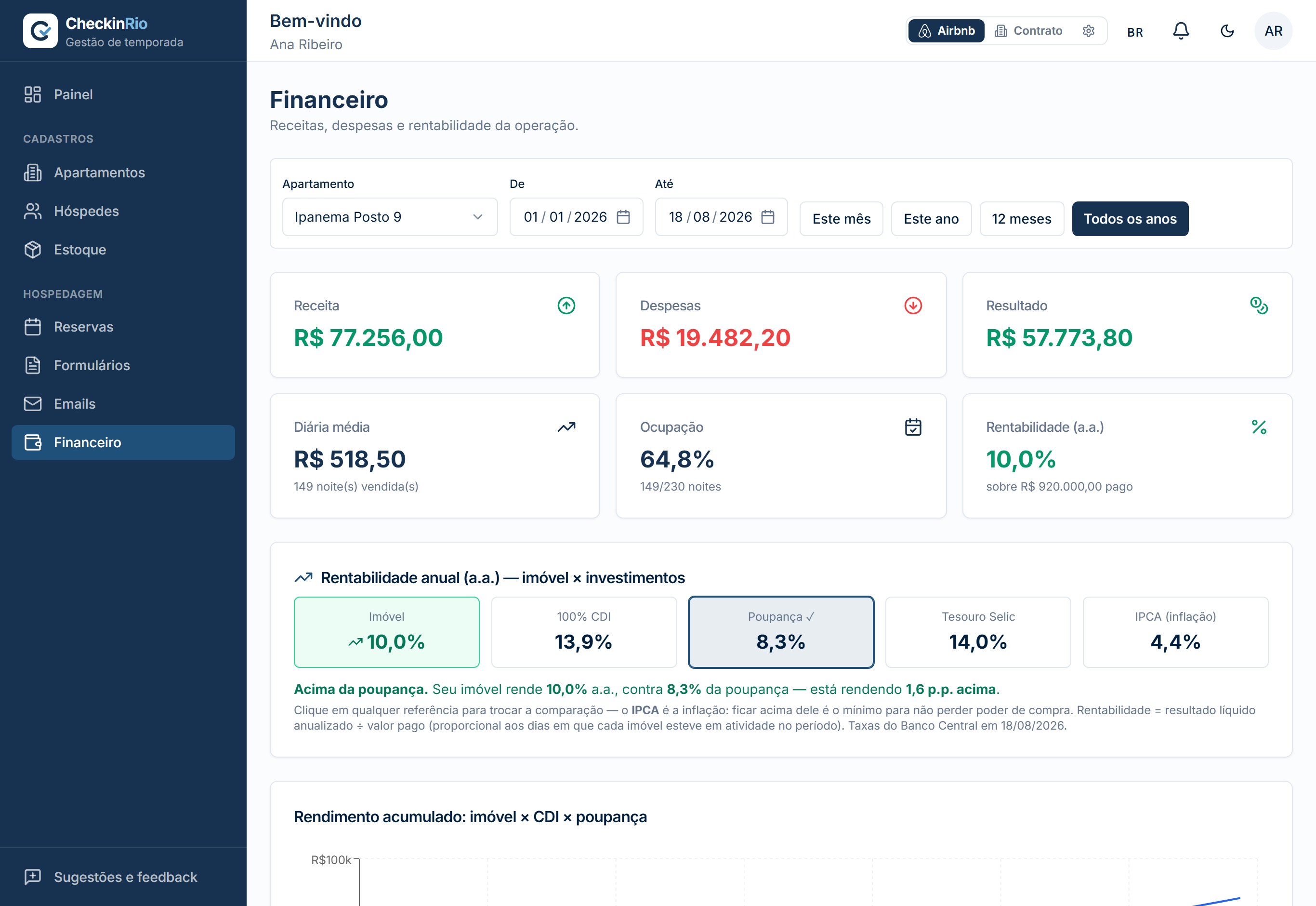
Revenue, expenses and results per property
A demo August in a Copacabana apartment: the system builds this closing on its own, from the bookings and expenses on record.
- Revenue this month
- R$ 6,840
- Expenses
- R$ 1,640
- Net this month
- R$ 5,200
- over the CDI benchmark
- 1.8×
Every expense lands in the right place
Cleaning, linens, building fees: the system ties each expense to the apartment and the check-out that produced it. You know what each property costs, not just what it earns.
The system checks the Airbnb payout
The system reconciles Airbnb's payout spreadsheet with the bookings in your dashboard: any difference shows up immediately instead of slipping by.
The system compares your returns with the CDI
Each apartment's result appears next to Brazilian benchmarks like CDI, Selic and IPCA, so you know whether the property is worth the work.
What the system does
The main areas of CheckinRio. Everything is part of one system, no modules sold separately.
Bookings
- Airbnb, Booking, VRBO and Decolar calendars unified via iCal
- Direct bookings entered in seconds
- Automatic date checks against the platform calendar
Guests
- Online check-in with documents, no account and no app
- Form available in Portuguese, English and Spanish
- Arrival instructions, door codes and house rules by email, in one click
Operations
- Mobile notifications, at the times you choose
- Amenities inventory updated at every check-out
- Long-term leases with adjustment by Brazil's Central Bank indexes
Finances
- Revenue and expenses per property, month by month
- Airbnb payout reconciliation
- Returns compared with CDI, savings and IPCA
Inside the system
Nine CheckinRio screens, with demo data. No illustrations: this is the system as it opens in your account.
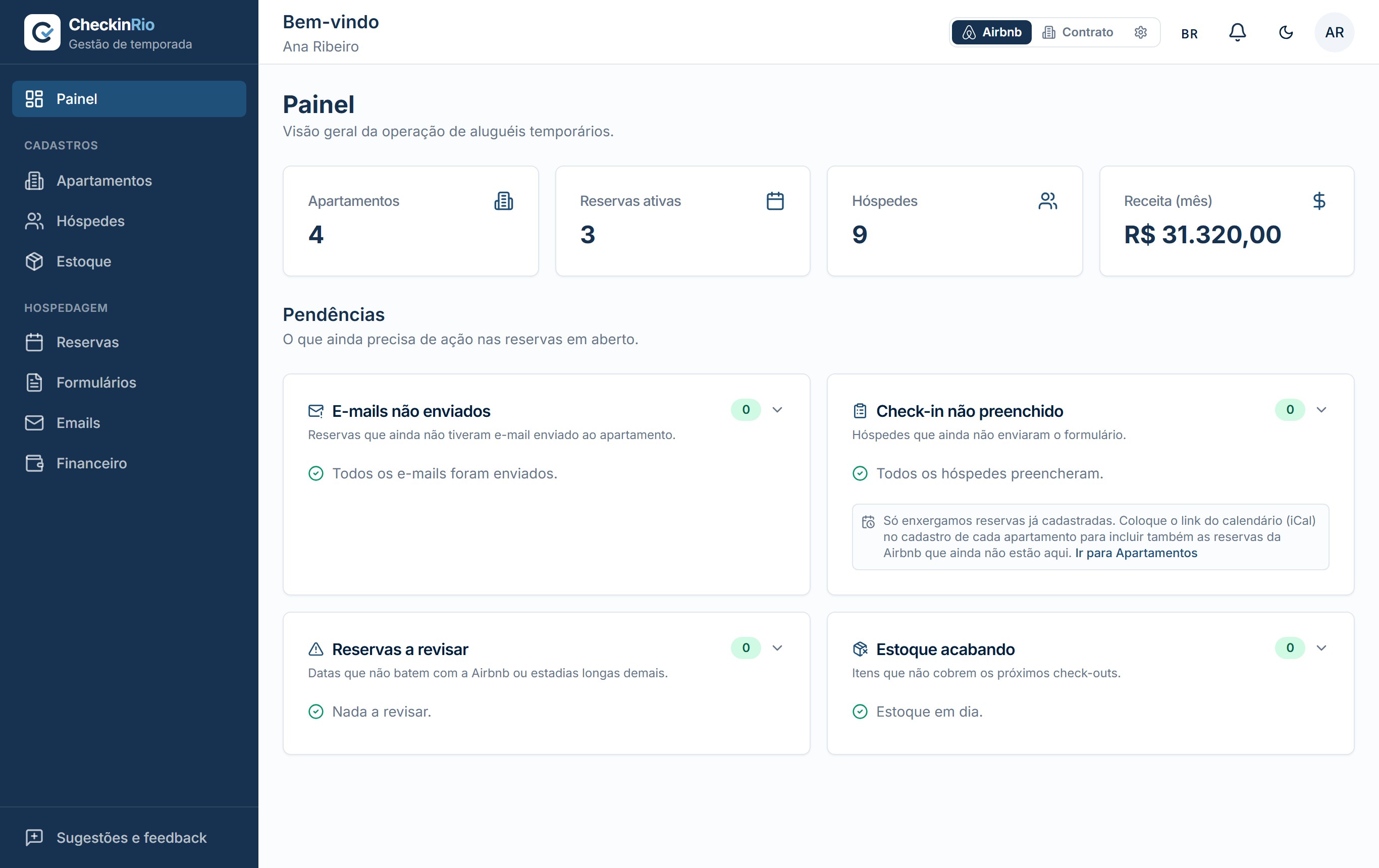
The day at a glance
Properties, active bookings, guests in the house and the month's revenue, with anything needing action right below.
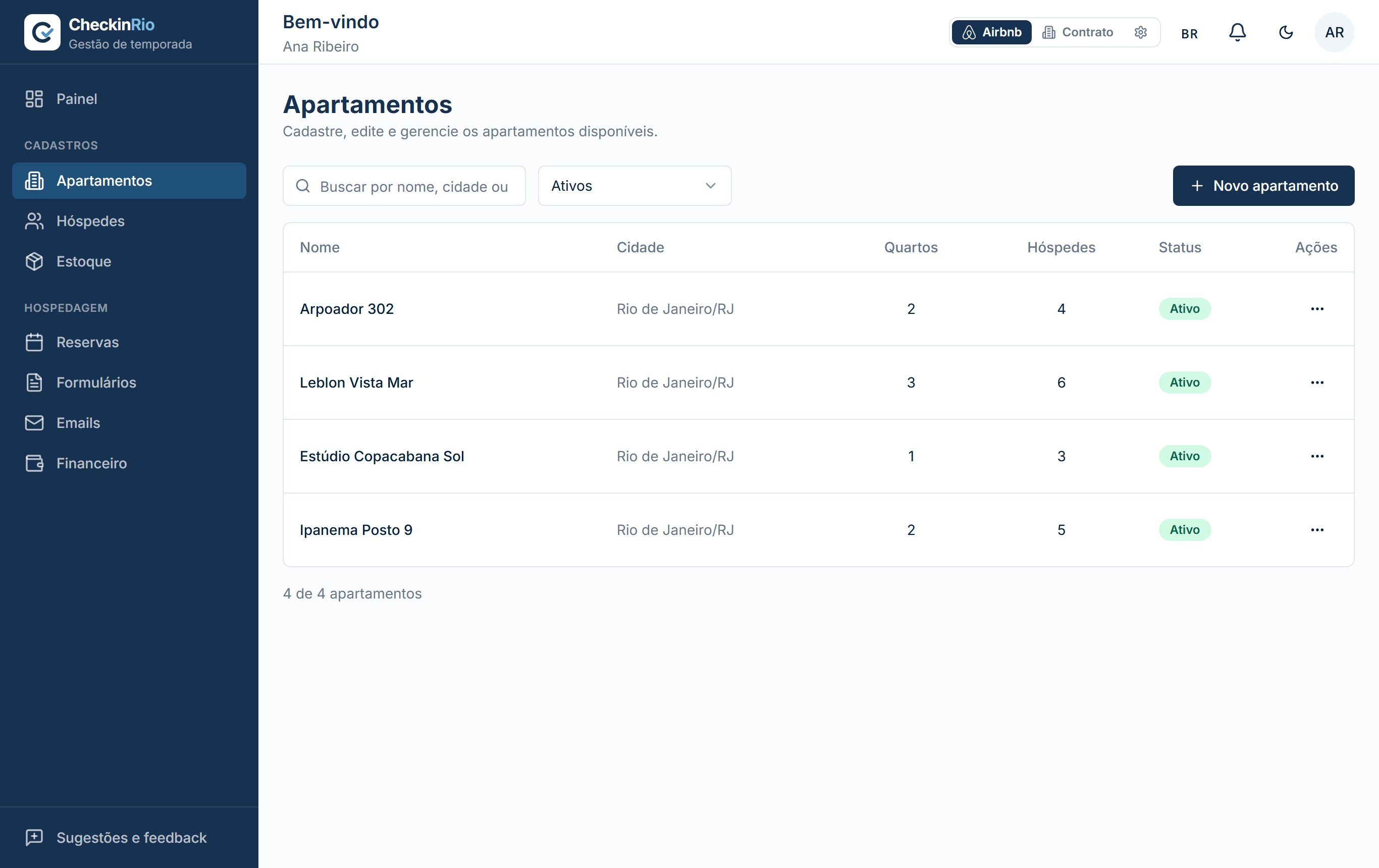
Your properties, one by one
Each apartment with address, capacity, connected calendars and the link to its check-in form.
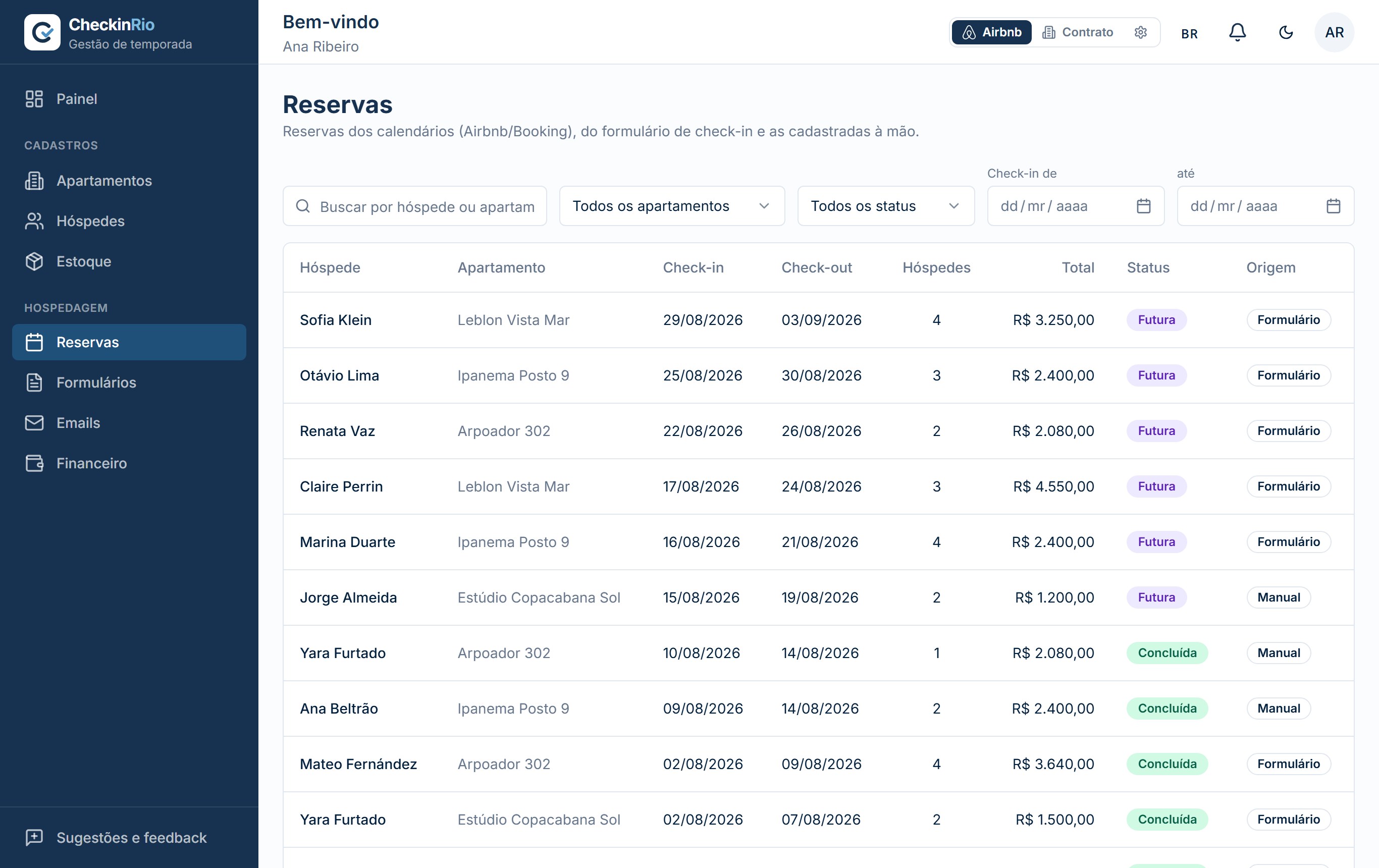
Every booking in a single list
Airbnb, Booking and direct bookings in the same table, with dates, price, status and where each one came from.
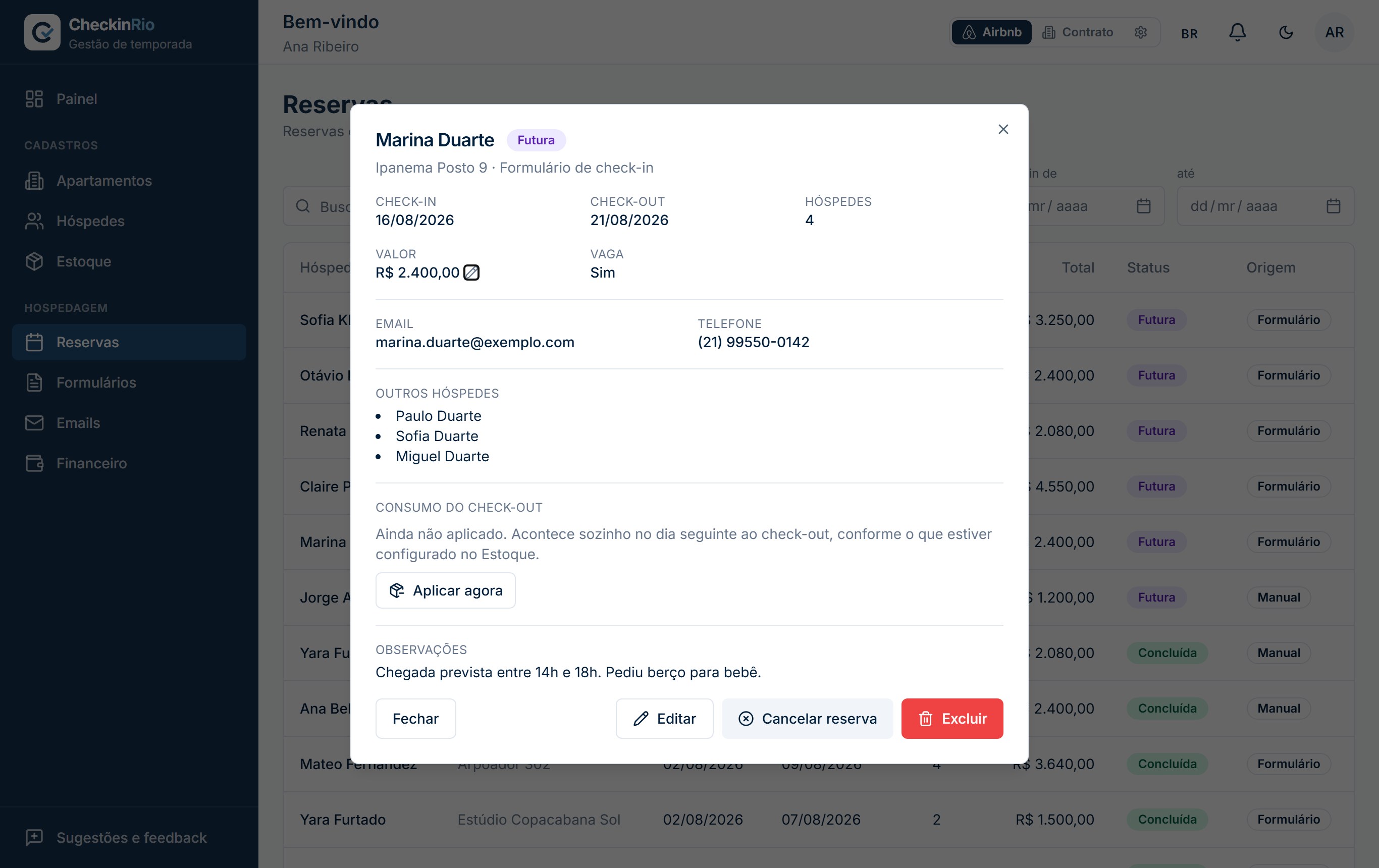
A booking with check-in completed
Guests fill it in before arriving; the booking gathers contact details, companions, parking and notes in one place.
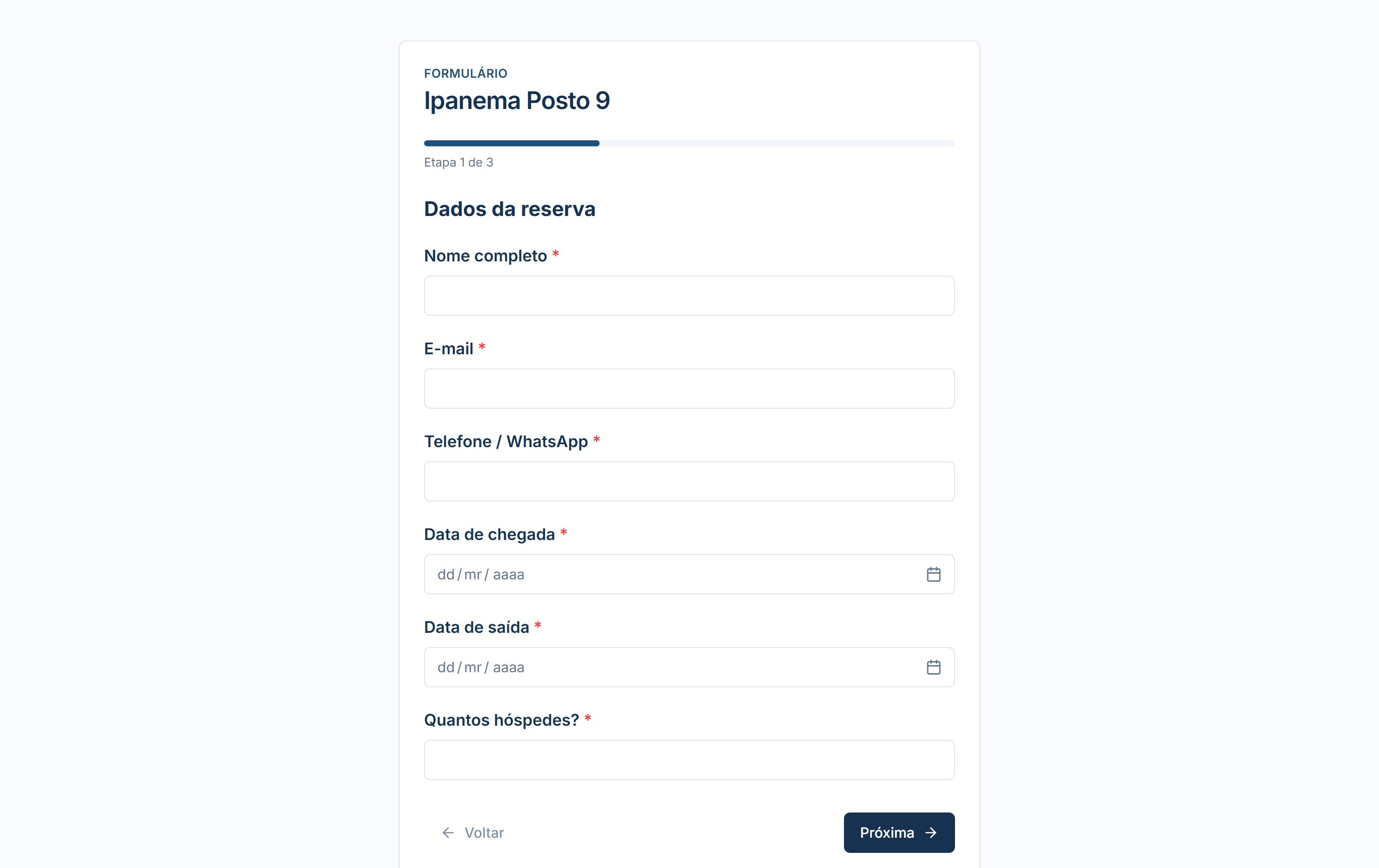
What the guest sees
The form opens on the phone through a link, with nothing to install and no account to create, in Portuguese, English or Spanish.
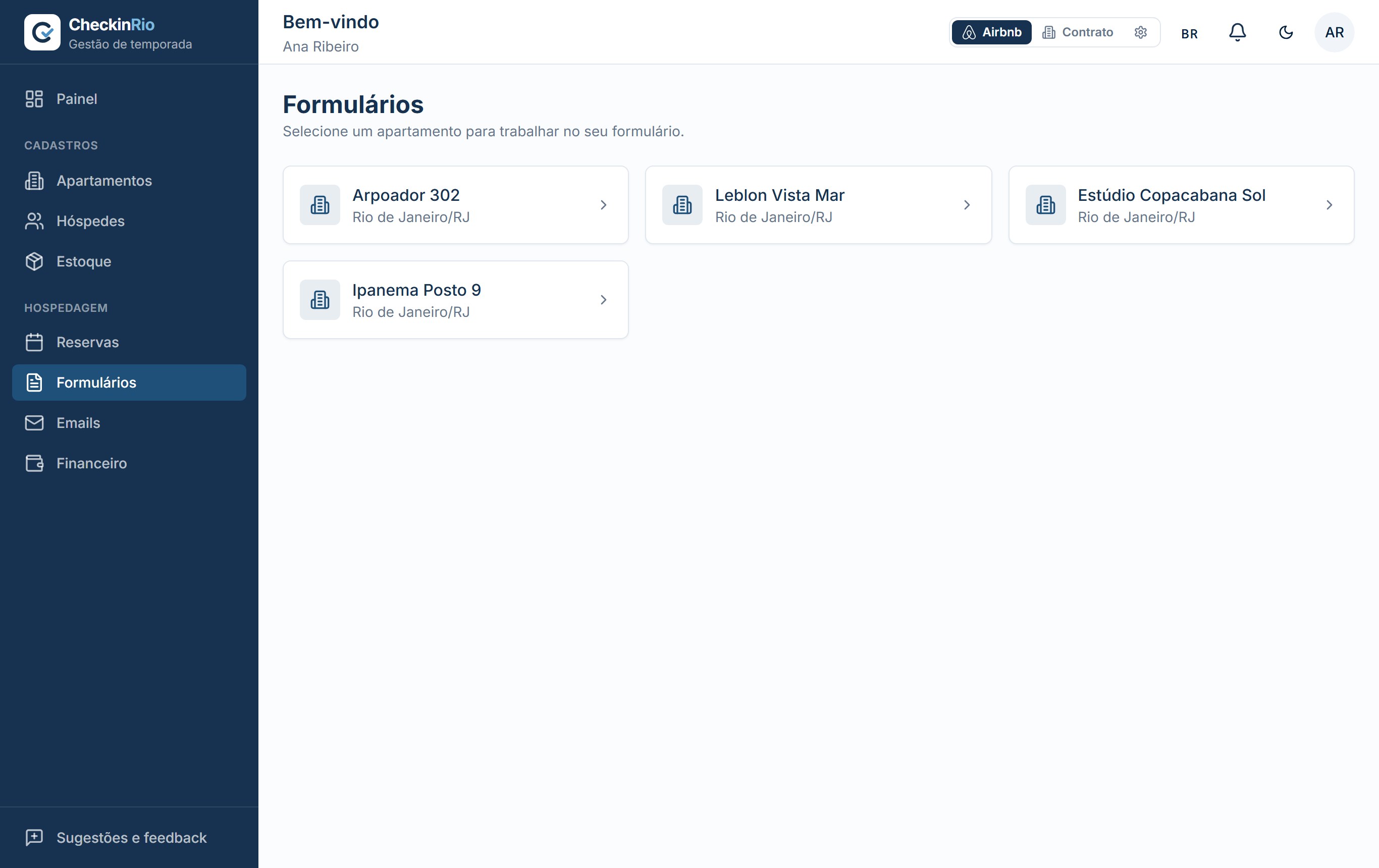
The form is yours
Build the questions you want, in sections, and choose what is required. New accounts come with one ready to use.
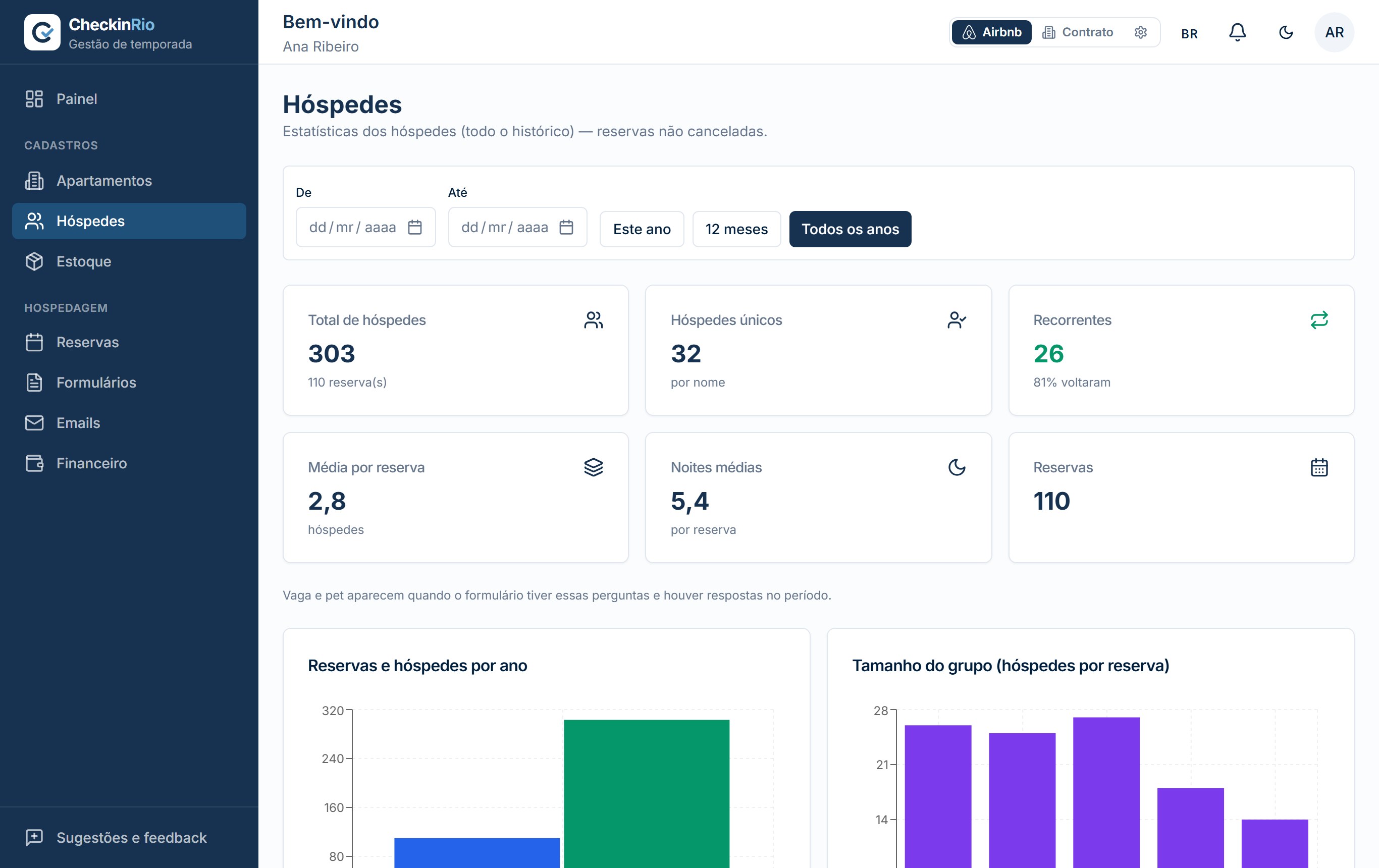
Everyone who has stayed with you
Total guests, how many came back, average group size and nights per booking, year by year.
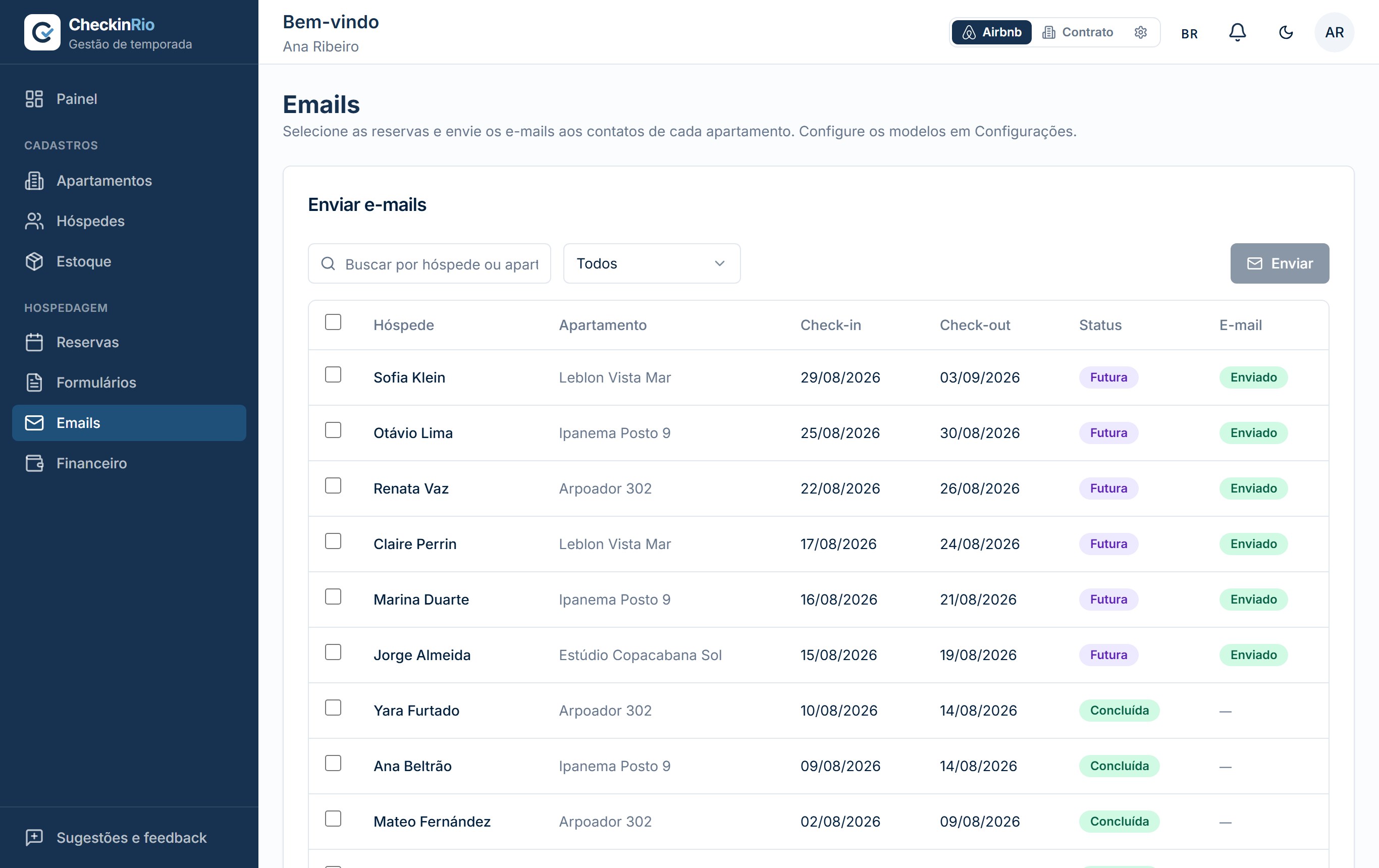
Every email sent is on the record
Arrival instructions, door codes and house rules go out with one click, and every send stays in the booking's history.
Finances per property
Revenue, expenses, occupancy and average nightly rate per property, plus returns compared with CDI, savings and inflation.
1 of 9
Security and privacy
You'll be storing guest documents and financial data here. This is what we do to protect them.
LGPD (Brazil's data protection law)
- The system automatically deletes guest documents and photos 60 days after check-out.
- You can export all your data or close your account at any time, right from the settings.
Account security
- Two-factor authentication (2FA).
- Each customer's data is kept isolated from everyone else's.
Made for Brazil
- Subscription payment via Pix, right on the site.
- Lease adjustments by the Central Bank's official indexes (IGP-M, IPCA, INPC).
Built by hosts, for hosts
Who makes CheckinRio
We are Airbnb hosts and property landlords in Rio de Janeiro. CheckinRio was born to manage our own apartments, when spreadsheets could no longer keep up with bookings, guest documents and each property's bills.
The system worked so well for our own operation that it became a product. Today more than 850 properties run on it, and every new feature still debuts the same way: first in our own apartments, then in your account.
That is why this page talks about Airbnb payouts, linens and property tax: we manage rentals every day, just like you.
The founders of CheckinRio
Pricing
You pay per registered apartment. The more apartments, the lower the price per unit. The first 14 days are free, no credit card.
Per apartment
R$ 25,00/mo
- From 20 apartmentsR$ 20,00/mo each
Everything included
- Every feature, no stripped-down version
- No limit on apartments
- Team users at no extra cost
- Long-term rental module (leases) included
- Monthly subscription, no lock-in
Frequently asked questions
Do I need a credit card to try it?
No. The 14-day trial starts at sign-up, no card. If you don't subscribe, the account expires and you pay nothing.
Does it work with Airbnb and Booking?
Yes. Each apartment accepts several calendars via iCal: Airbnb, Booking, VRBO, Decolar, Temporada Livre and Google Calendar. Bookings flow into the dashboard automatically.
How do guests check in?
The check-in form is emailed to the guest. They fill in their details and attach documents from their phone, without installing anything or creating an account. The form is available in Portuguese, English and Spanish.
How does LGPD apply to guest documents?
The system automatically deletes documents and photos 60 days after check-out. You can also export all your data or close your account at any time, right from the settings.
I also manage long-term rentals. Does the system cover that?
It does, and it's included in the same price. The long-term module handles leases, rent adjustment by the Central Bank's indexes and monthly billing with rent, building fees and property tax in a single PDF.
Can I cancel anytime?
Yes. The subscription is monthly, with no lock-in. When you close your account, you have a 30-day grace period to change your mind before the system permanently deletes the data.
Didn't find your answer? Send us your question. We reply by email.